

 Platform
 W&B Models
 W&B Weave
 W&B Inference
 W&B Training
 Release Notes
Unique run identifiers
Run IDs are unique identifiers for runs. By default, W&B generates a random and unique run ID for you when you initialize a new run. You can also specify your own unique run ID when you initialize a run. Find a run’s unique ID in the W&B App:- Navigate to the W&B App.
- Navigate to the W&B project you specified when you initialized the run.
- Within your project’s workspace, select either the Workspace or Runs tab.
- Select the run you want to view.
- Choose the Overview tab.
9mxi1arc:
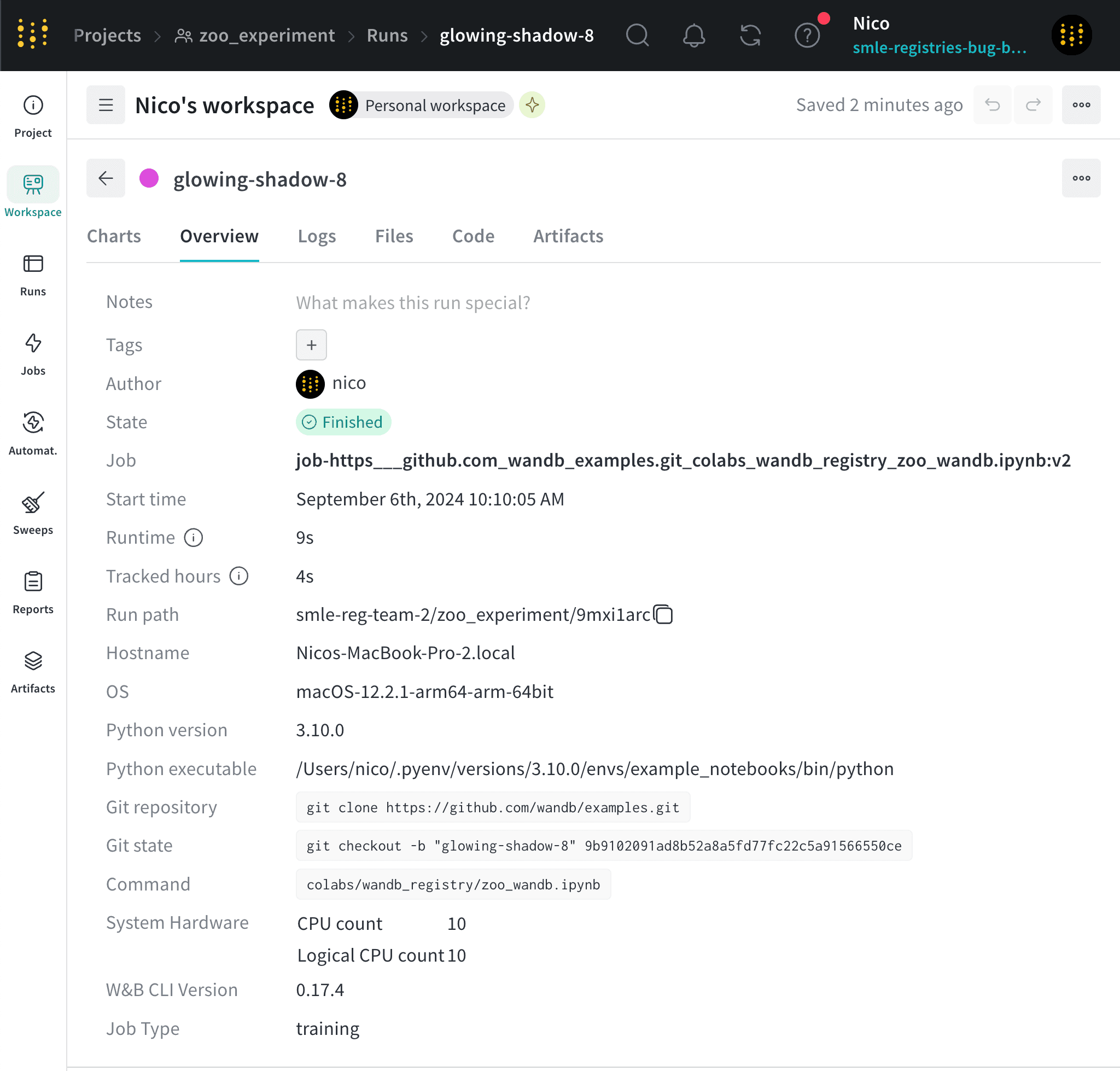
Use a run’s unique ID to directly navigate to that run’s overview page in the W&B App. The following cell shows the URL path for a specific run:Where values enclosed in angle brackets (
W&B App URL for a specific run
< >) are placeholders for the actual values of the entity, project, and run ID.Autogenerated run IDs
If you do not specify a run ID when you initialize a run, W&B generates a random run ID for you. You can find the unique ID of a run in the W&B App. For example, consider the following code snippet that initializes a run without specifying a run ID (id parameter):
Create a custom run ID
You can specify your own run ID by passing theid parameter to the wandb.init() method.
Run name
Each run has a human-readable, non-unique run name. By default, W&B generates a random run name when you initialize a new run if you do not specify a run name for it. The name of a run appears within your project’s workspace and at the top of the run’s overview page. Continuing from the previous example, the name of the run isglwoing-shadows-8.
Create a custom run name
You can specify a name for your run by passing thename parameter to the wandb.init() method.
Rename a run
Rename a run after initializing it programmatically with Python SDK or from the W&B App.- Programmatically
- W&B App
Use
wandb.Api.Run to access a run logged to W&B. This returns a run object that you can use to update the run name. Persist the changes by calling the update() method on the run object.Ensure to replace the values enclosed in angle brackets (< >) with your own values:Run display name
Each run also has a run display name that you can customize for each workspace. The display name defaults to the same value as the run name. The display name appears in the run’s workspace and runs table.If you change a run’s display name in one workspace, it does not change the run’s display name in other workspaces or projects.
Rename a display name
Rename a run’s display name from the W&B App:- Navigate to your W&B project.
- Select the Workspace or Runs tab.
- Search or scroll to the run you want to rename.
- Hover over the run name, click the three vertical dots, then click Rename run.
- Specify a new value for the Display name field.
- Click Save.
Customize run name truncation
By default, long run names are truncated in the middle for readability. To customize the truncation of run names:- Click the action
...menu at the top of the list of runs. - Set Run name cropping to crop the end, middle, or beginning.