

 Platform
 W&B Models
 W&B Weave
 W&B Inference
 W&B Training
 Release Notes
Group runs programmatically
Each run can be categorized by group and a job type:- Group: a broad category for the experiment, used to organize and filter runs.
- Job type: the function of the run, such as
preprocessing,training, orevaluation.
Group name
Add a group name to a run by passing thegroup parameter to wandb.init():
Job type
Add a job type to a run by passing thejob_type parameter to wandb.init(). For example, the following code snippet creates runs with job types of either training or evaluation:
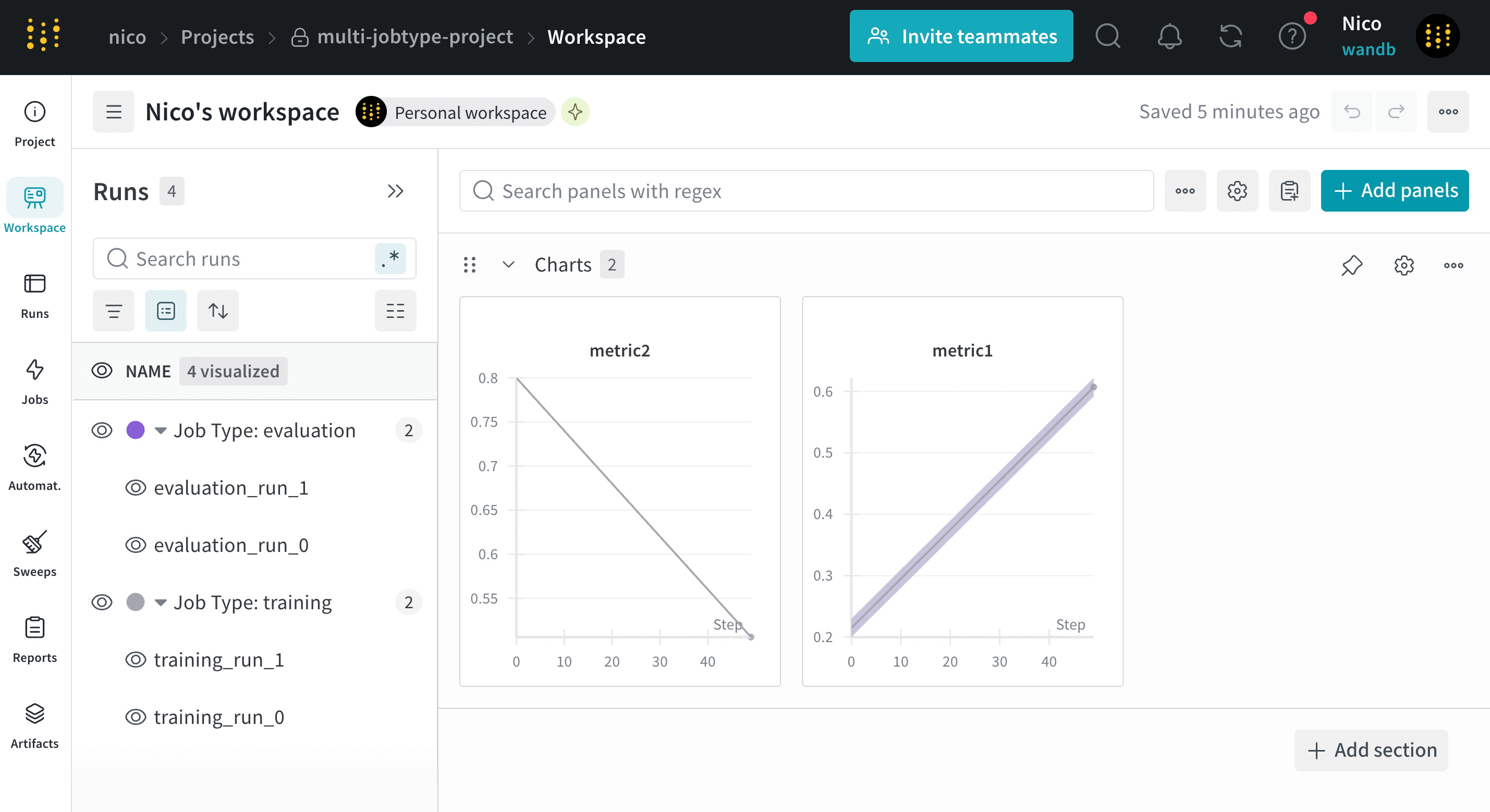
View runs by group or job type
- In the project sidebar, select either the Runs tab or the Workspace tab.
- Above the list of runs, click the Group button (it looks like a lined sheet of paper).
- From the dropdown, select either Group or Job Type.
Remove run group
- In the project sidebar, select either the Runs tab or the Workspace tab.
- Above the list of runs, click the Group button (it looks like a lined sheet of paper).
- From the dropdown, click the X next to the name of the group you want to remove.
Delete a run group
To delete a group, remove all runs from it. This automatically deletes the group.Move runs between groups
Move runs in one group to another group:- Navigate to your W&B project.
- Select the Workspace or Runs tab from the project sidebar.
- Select one or more runs by clicking their checkboxes.
- Above the table, click Move to group.
- Within the modal, select the target group or create a new group.
- Click Move.